- Go to “Settings” and select “Mail"
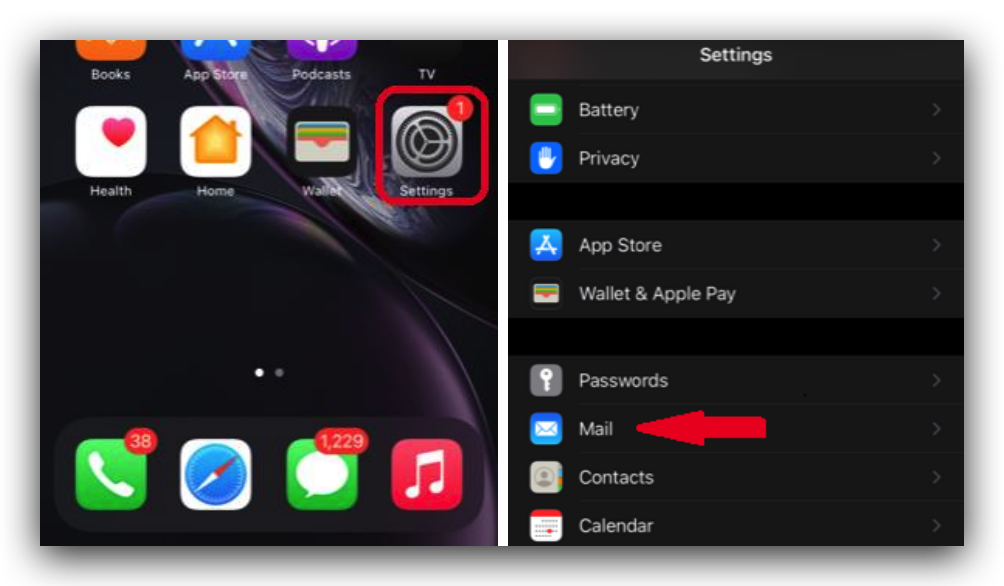
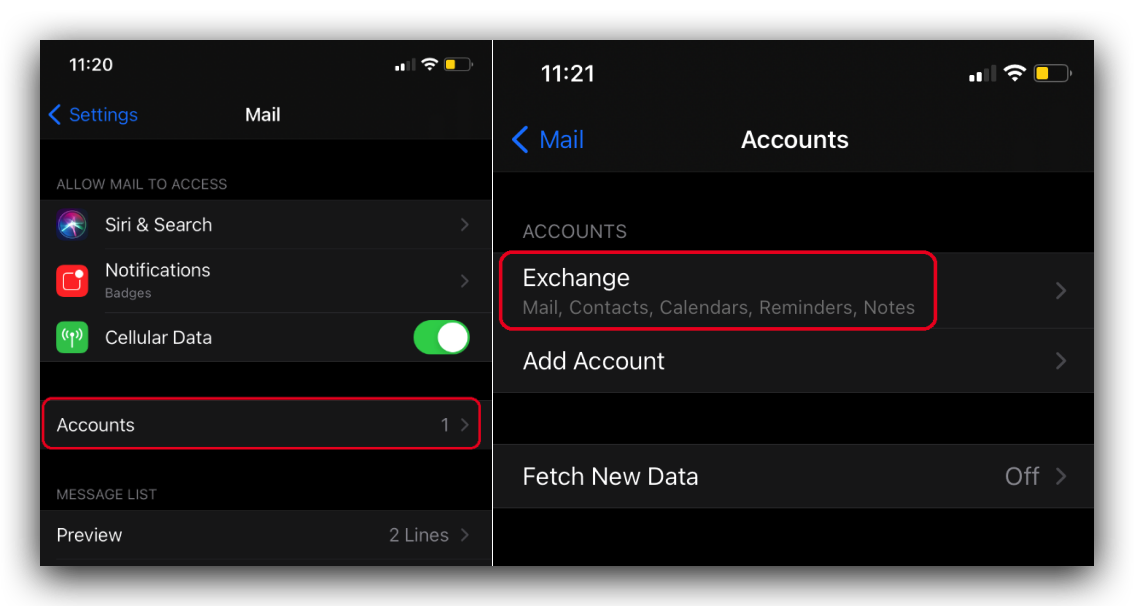
- Select “Accounts” and then “Exchange” (this may differ if you’ve named your mailbox something else)
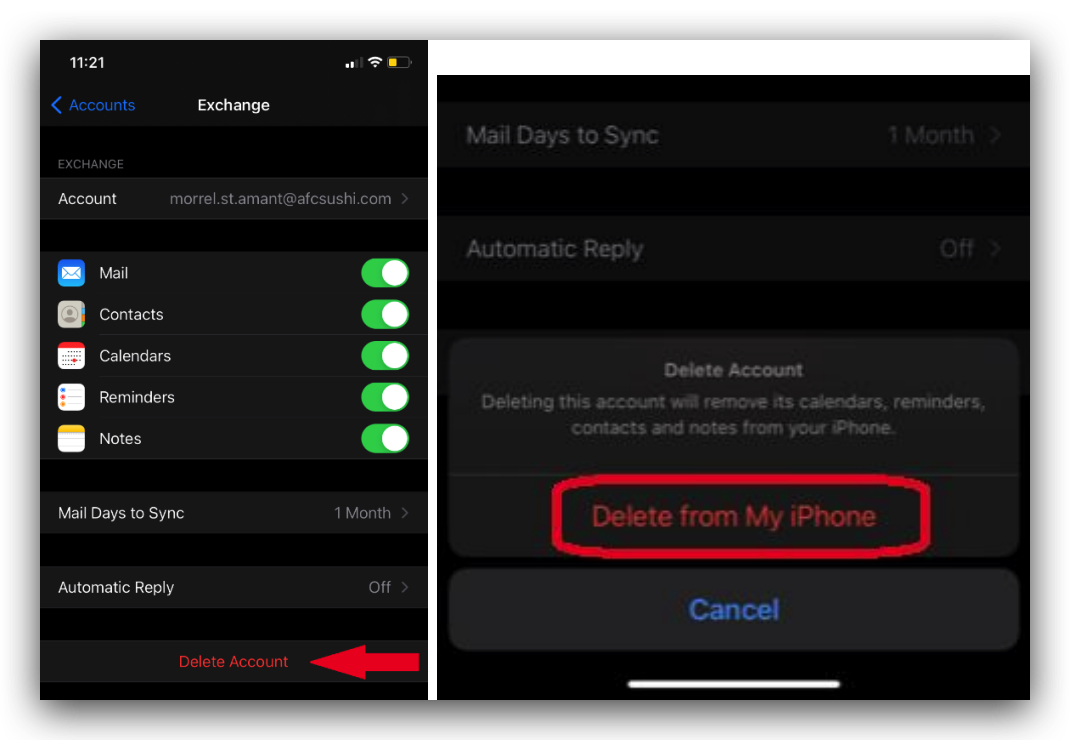
- At the bottom of the screen, select “Delete Account” and then “Remove from My iPhone”
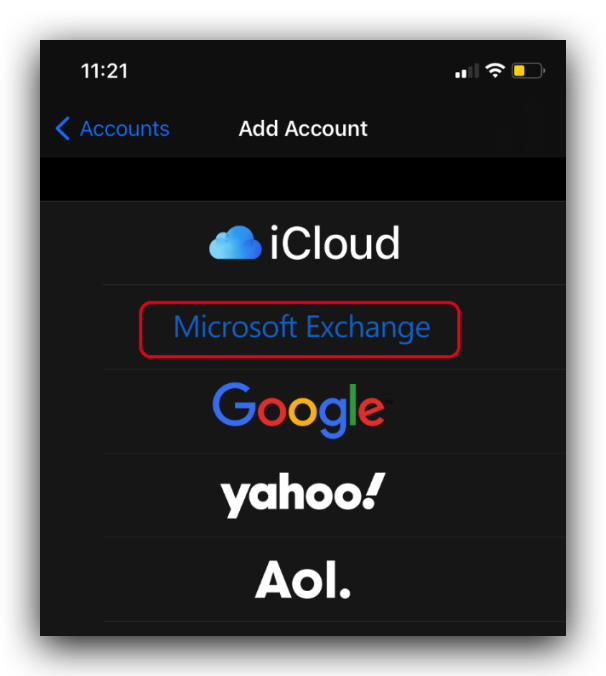
- You will be taken back to the “Accounts” screen once the deletion is complete. Select “Add Account” and then “Microsoft Exchange”
- Add your email info and then press “Next”. A new popup will appear, please press “Sign In”
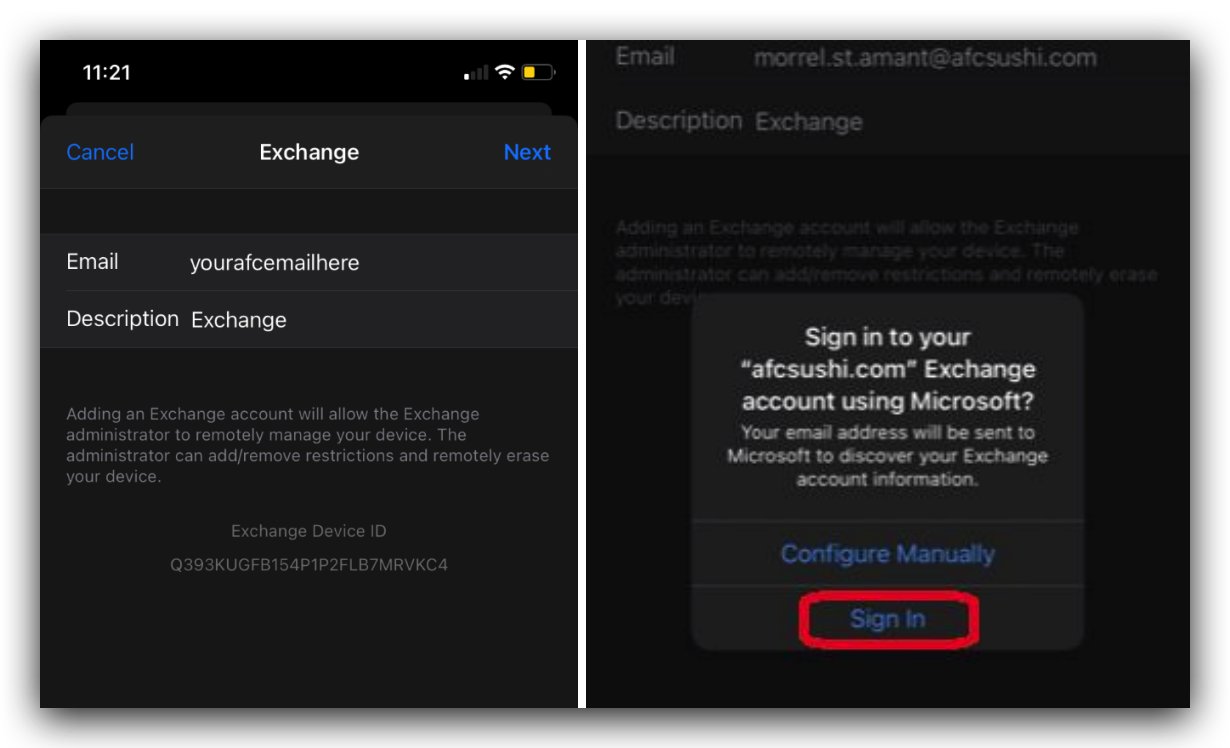
- You may be asked for your email password again. Please enter it and follow the remaining prompts. If you have not activated MFA yet on another device, you will be asked to finish MFA activation setup. Please follow the instructions for MFA setup that were sent out on 4/11/2022.
Comments
0 comments
Article is closed for comments.